
Say it. Share it. Know it got done.
Tell Tiko “BP tablet every day at 9” — typed or spoken, in English or हिंदी — and it’s saved the moment you say it, and it rings on time, even offline. Send reminders to family, and hear back the moment they’re done.
See it in 30 seconds
From “just say it” to “Mom finished”
Watch Tiko set a reminder the moment it’s said, a habit become one tidy row in Plan, a reminder go to Mom’s phone — and the done receipt come back.
- Real app, sample family. Recorded on a phone with the demo data of the Sharma family.
- Sound on for the music — it’s ours, written for SynClock.
Just say it
Write it the way you'd say it
No date pickers, no repeat dropdowns. Tiko reads the sentence on your phone — instantly, with no network — and fills in the day, the time and how often it repeats. Several at once works too: “call mom at 5 and gym at 7”. Watch:
Tricky phrasings (“the second Tuesday after Diwali”) fall back to Gemini through SynClock's own server. Abusive or offensive words are never saved — in English, Hindi or any Indian language.
Talk to Tiko
Fewer taps than a sticky note
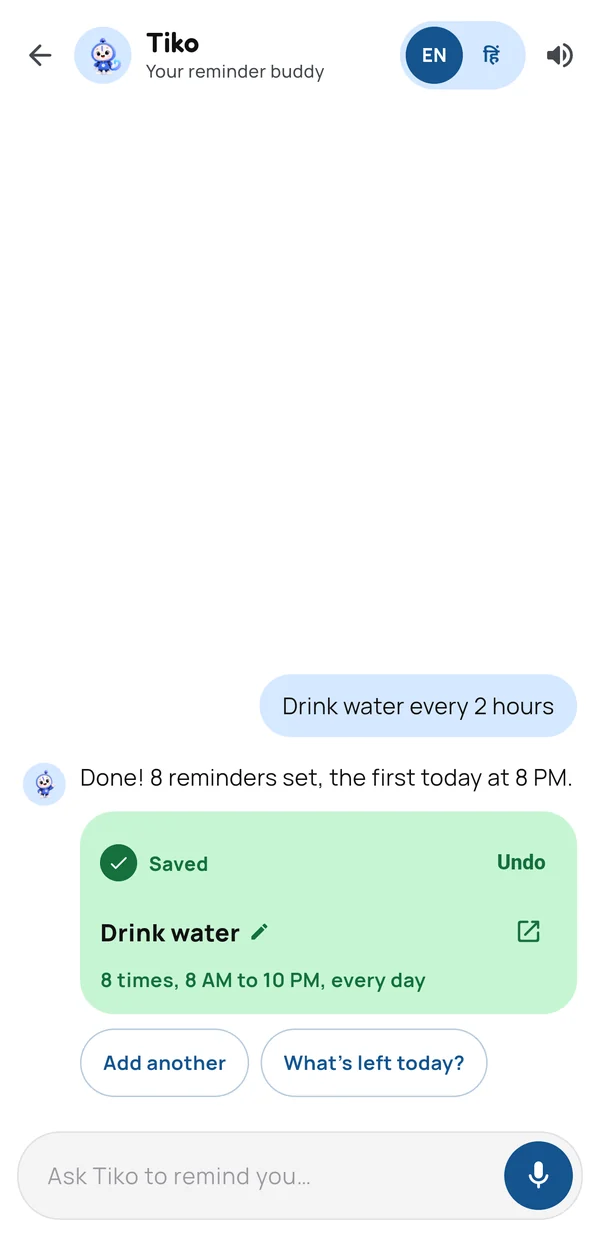
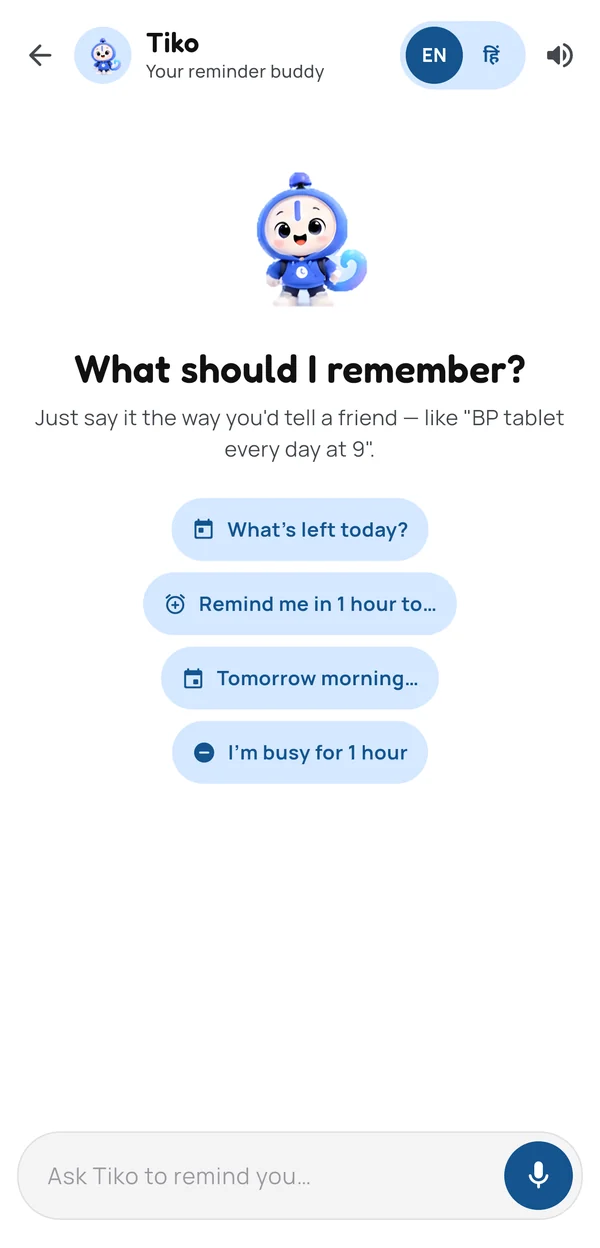
Say it or type it, then send. When Tiko understands, the reminder is saved right away — no Create button — and a card shows what was set, ready to tweak.
- Tap to change. Time, day and repeat are chips on the card; one tap fixes them, and Undo is right there.
- Repeats understood. “every day”, “every 2 hours”, “every Monday and Thursday”, “har roz” — and several reminders in one line.
- Fix it in words. “make it 8” or “no, tomorrow” changes the reminder you just made instead of adding another.
- Starters for right now. What’s left today, a reminder in an hour, or Busy — one tap from the welcome.
Your day
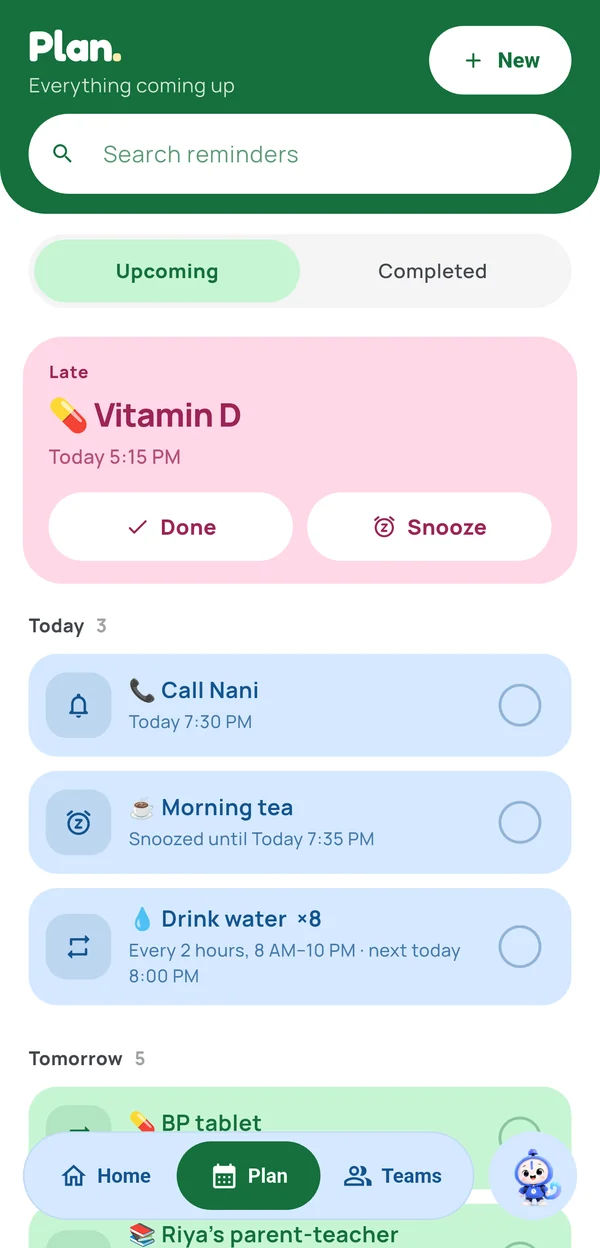
What's next, and one tap to finish it
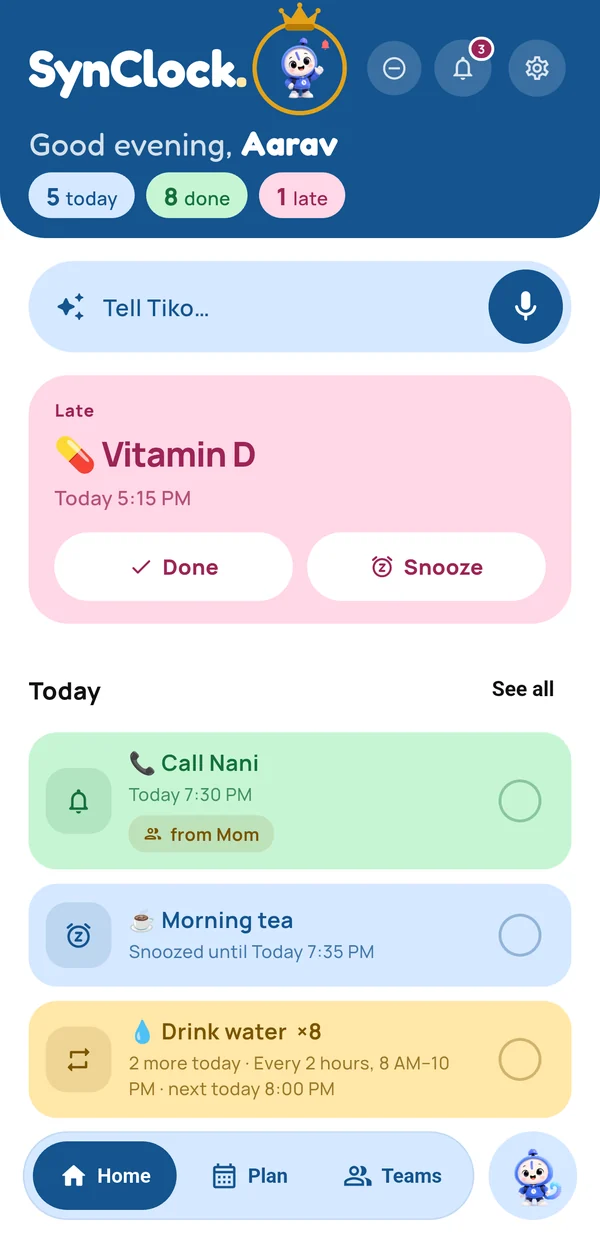
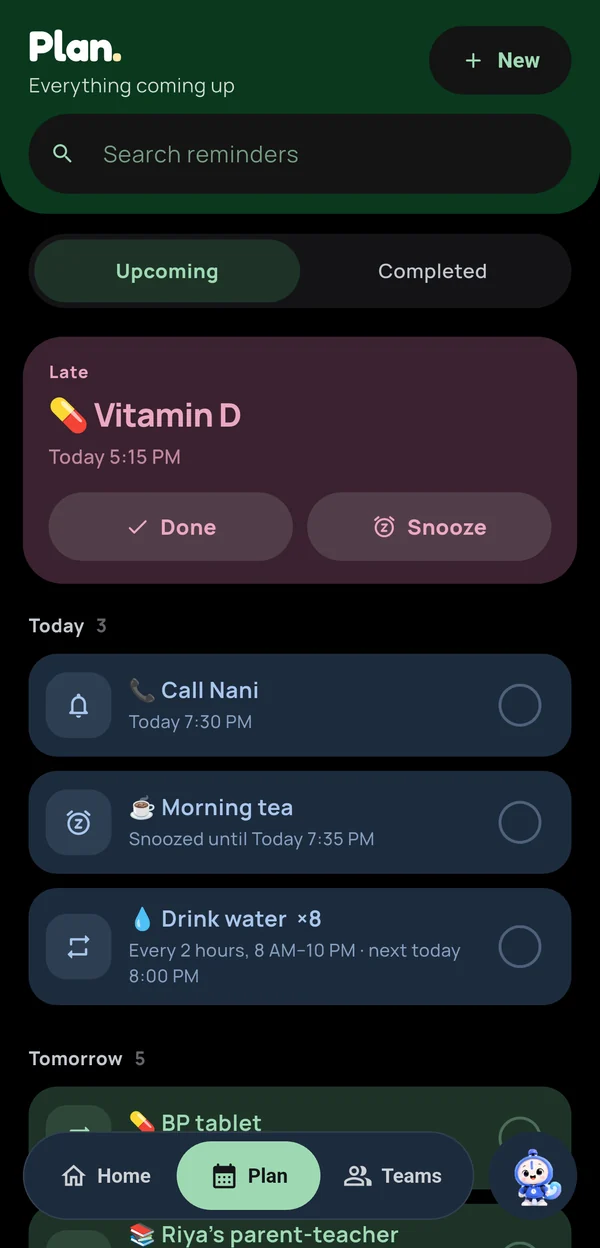
Home opens on the one thing that matters now. Done and Snooze sit right on it — no opening, no scrolling. Plan groups the rest by how often it happens.
- Next up with a live countdown, and an overdue card that never gets stuck.
- Snooze in one tap: 5, 15, 30 minutes or an hour — the same everywhere in the app.
- Done from the notification itself: Done, 15m or Later without opening the app.
- Home-screen widget that shows what's next and updates live.
Teams
Someone has your back
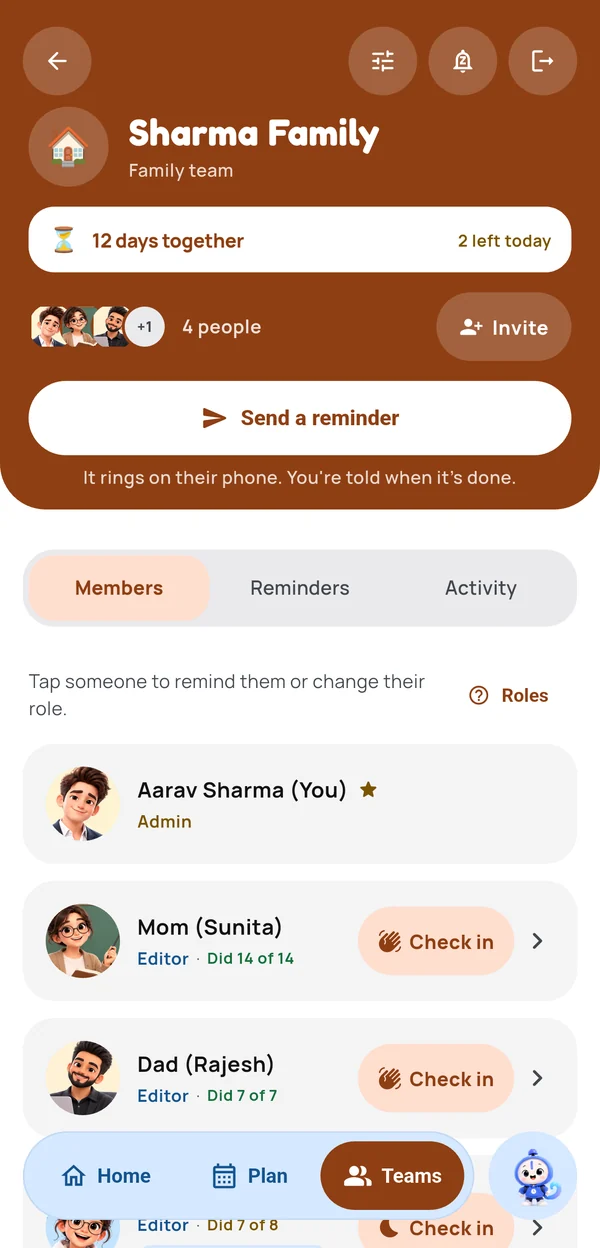
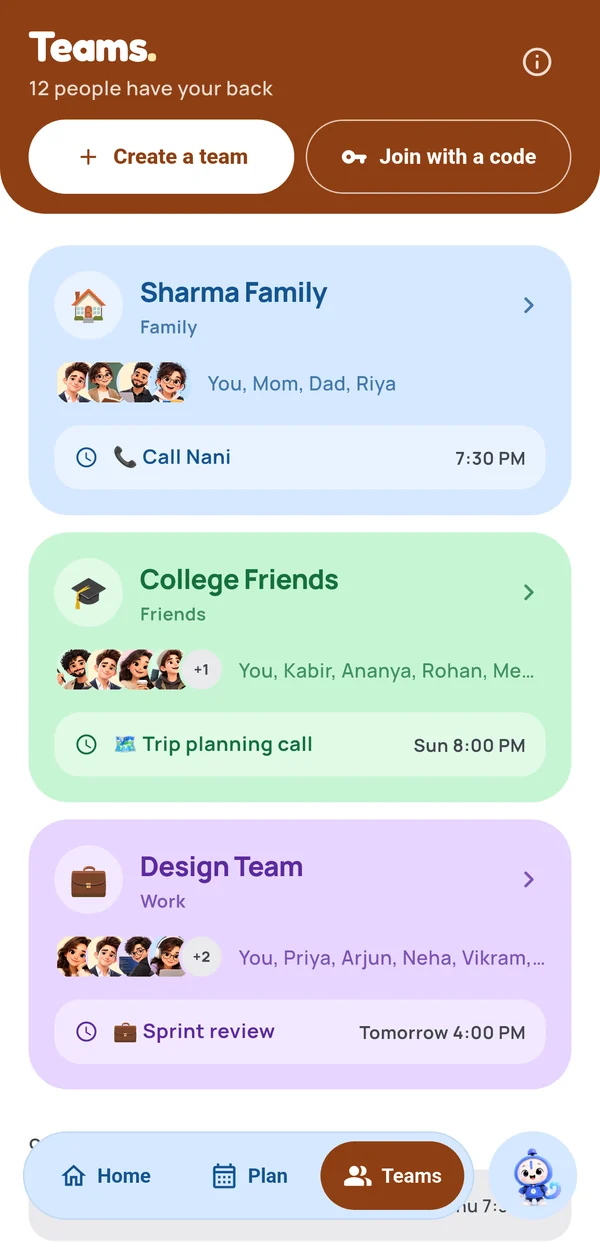
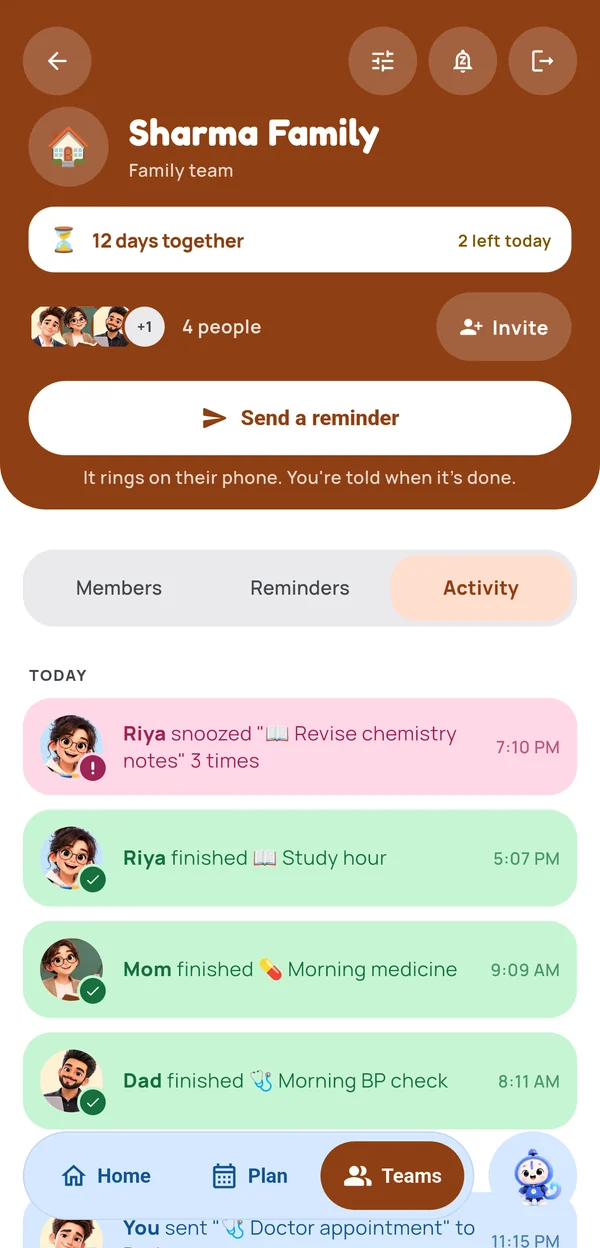
Make a team for your family, your flat or your work crew. Send a reminder straight to someone's phone — it rings for them, not you — and hear back the moment they tap Done.
Family, Work or Friends
Each kind starts with sensible rules. Family reads aloud and can wake someone for medication; Work stays quiet in meetings.
Who hears what
New reminders go to everyone, them and the admins, or just them. Done receipts go to everyone, admins, or nobody.
Snooze escalation
After 1, 2, 3 or 5 snoozes in a row the team is told — or never. Owners set it once for everyone.
Invite codes
An eight-character code that expires in 30 minutes. Only admins can make one; everyone else can share it.
Check-ins
Tap Check in on a member and they get an “Are you doing it?” with a one-tap “On it” reply — with a few seconds to undo a mis-tap.
Busy & quiet hours
Tap Busy or set nightly quiet hours: reminders arrive silently, and your team sees you’re busy — unless the team allows urgent ones to break through.
Hear it, say “done”
Made for parents and grandparents
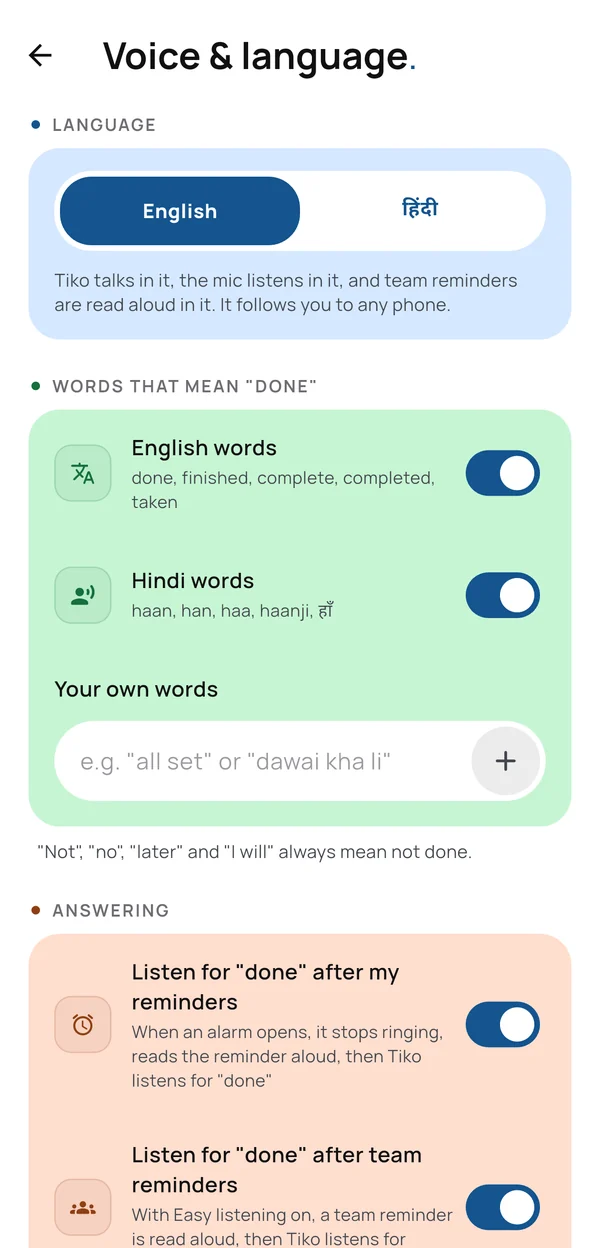
Reminders can be read aloud when they arrive — in English or Hindi — and answered by voice. When the alarm opens, it stops ringing, asks “Did you do it?”, and listens: say “done” or “हो गया” and it’s marked done, and whoever sent it hears back. “Not yet” and “nahi” are never mistaken for a yes.
- Easy-listening mode speaks slower and lower, says the name first, and repeats once.
- Talk to Tiko — tap the mic on Home and say the reminder; pauses mid-sentence are fine.
- Urgent can wake — medication reminders can ring through quiet hours if the family allows it.
Light & dark
Soft on the eyes, day or night
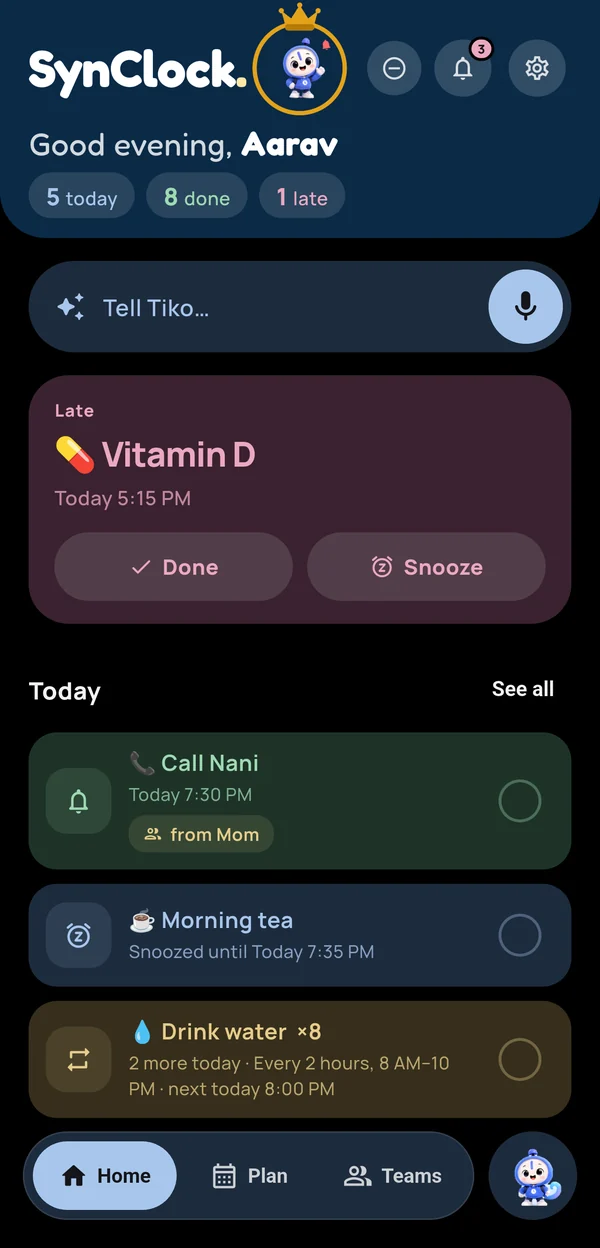
Pastels that are calm in daylight and muted after dark — never neon. Drag to compare.
Under the hood
Built for the moment the network isn't there
A reminder app that only works online isn't a reminder app. These are the parts that make it hold.
Exact alarms
Android's AlarmManager fires on the second, through Doze, and re-registers itself after a reboot. SynClock asks once, in plain words, and re-arms every alarm the moment you allow it.
Offline-first
Everything is stored on the phone first (Hive) and synced when you're back online. An edit or a Done on one phone moves or cancels the alarm on the others too.
On-device parsing
Everyday phrasings — repeats, several reminders in one line, Hinglish — are read locally. Only the genuinely ambiguous ones go to Gemini, with per-user daily limits, caching and a kind-language filter on what goes in and out.
Actions in the shade
Done, 15 minutes and Later work straight from the notification, even when the app is closed — handled in a background isolate.
Own backend
NestJS on Oracle Cloud with SQLite/libSQL, rotating JWT sessions, rate limits and push through Firebase Cloud Messaging. Repeating reminders keep going even when Done is tapped from the notification.
Widget & deep links
Home-screen widgets for Next up, Today and Tell Tiko, and synclock:// links that open the exact reminder — never a blank duplicate.
Every screen
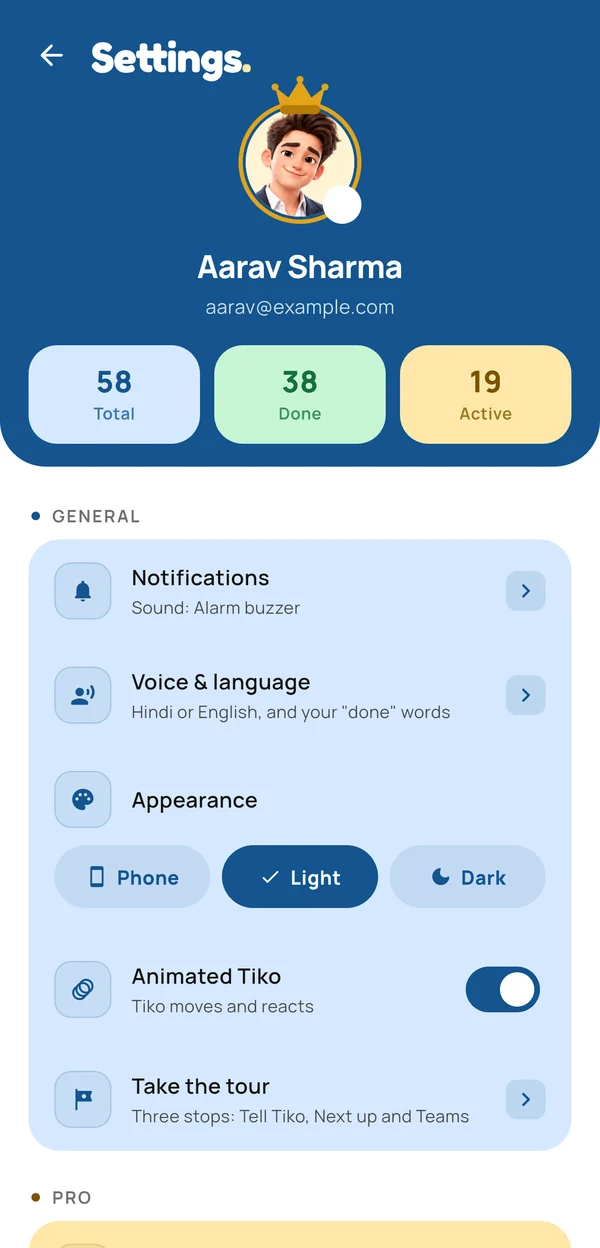
Take the tour
It scrolls by itself — hover to pause, or drag to look around.
Privacy
Your reminders are yours
No ads and nothing sold. SynClock keeps only what it needs to ring your phone and your family's, and tells you exactly what that is.
- Delete your account in the app — your reminders, devices, AI usage and sign-in records go with it; shared team reminders stay with the team, with your name removed.
- Encrypted in transit over HTTPS to SynClock's own server, and your sign-in is kept in Android's secure Keystore.
- Your choice on analytics — turn off usage and crash reports in Settings.
- Clear data-safety labels — what is collected, why, and how to remove it, in the privacy policy.
Get it
Two minutes, no store account
Free for everything that makes a reminder ring and tells your family — no limits. SynClock Pro adds 200 AI requests a day (Free: 10), as many teams as you need, and up to 20 people in each (Free: one team of 5).
- Download the APK — this link always serves the newest build.
- Android will warn about installing outside the Play Store. Allow your browser to install unknown apps.
- Open the file and install. Download again any time to update.
What's new in 1.0.14
- Repeating reminders keep going when you tap Done from the notification or the widget.
- Edits and deletes on one phone move or cancel the alarm on your others.
- Sound, Silent and Vibration settings now apply — plus “Ring like an alarm” for medicine.
- Tapping a notification opens the reminder; the widget shows your next few and skips to the next after Done.
- Snoozing no longer shifts a daily reminder's time; Focus mode and quiet hours stick.
- Safer accounts: verified sign-up, sign-in in the Keystore, and more.
- Pro: more AI help and bigger teams.